Keep your people close.
Burrow is a cozy family map. See where everyone is, know when they get home, and send little notes and hand-drawn sketches with one tap.
Beta version 2.18 · Android 12 or newer · No ads · For your own family server · Burrow Cloud coming soon
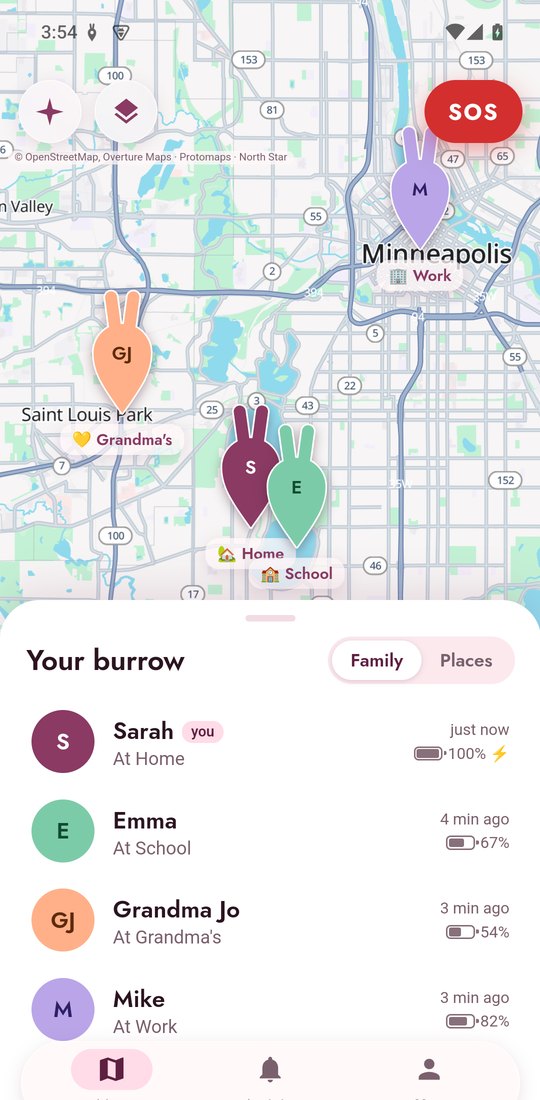
Your whole family on one map
Everyone shows up as a bunny-ear pin with their photo. Pull up the sheet to see who's where, how far from home, their battery, and when they were last seen.
- Save places like Home, School or Grandma's
- Pick a pin colour for each person
- Light and dark themes that follow your phone
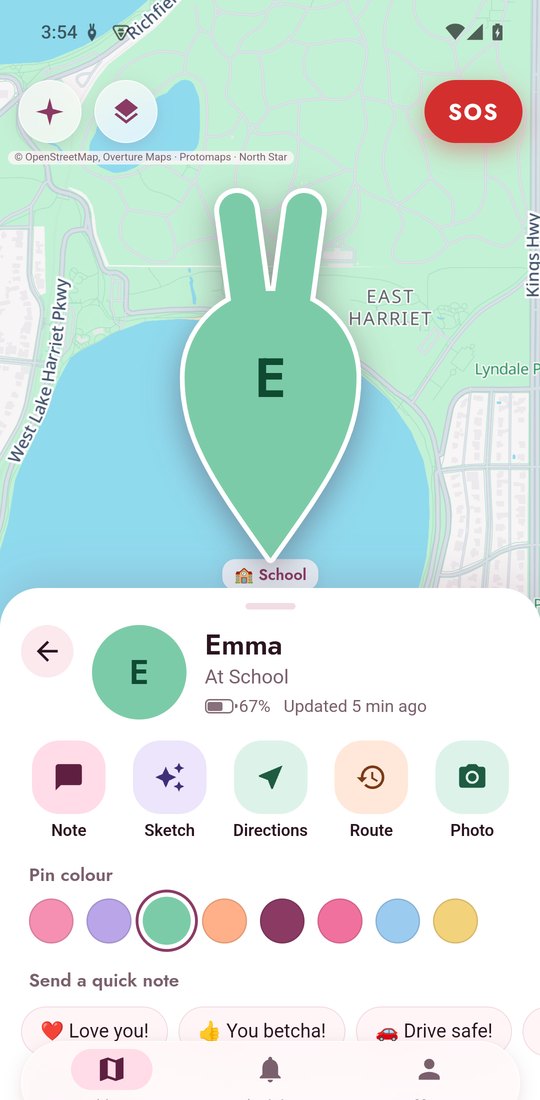
Alerts the moment it happens
Get a gentle heads-up when someone arrives at or leaves a saved place, starts driving, or runs low on battery. Alerts arrive in seconds, not minutes.
- "Welcome home!" and "Drive safe!" replies in one tap
- See where someone went today with Route
- Get directions straight to them
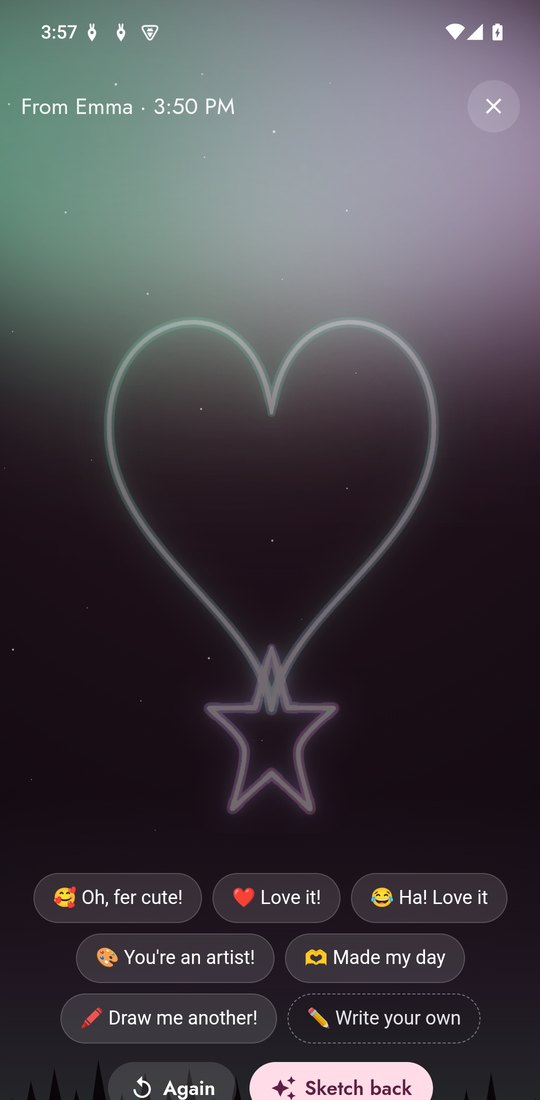
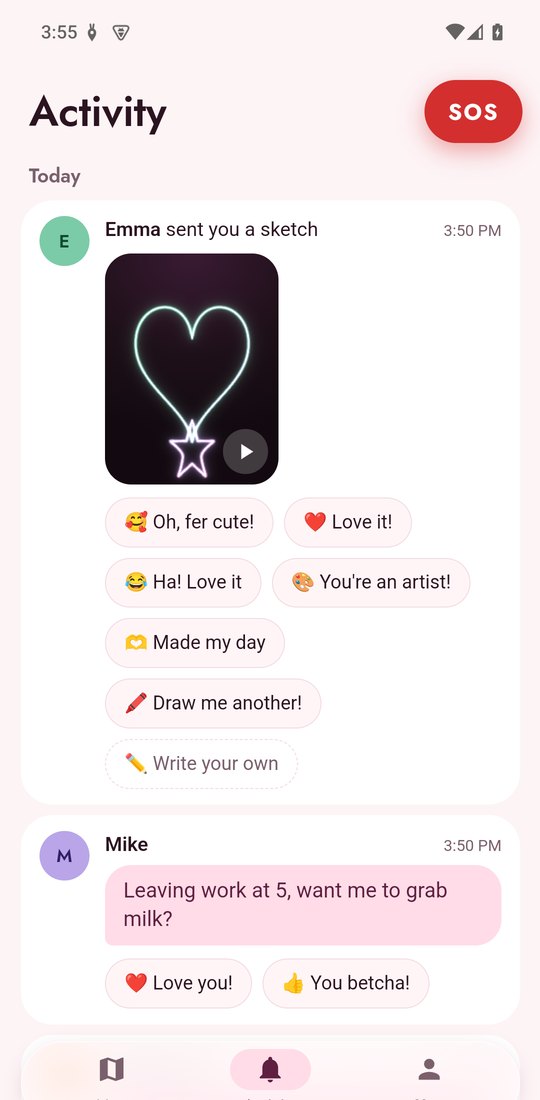
Notes and glowing sketches
Send a quick note, or draw something with your finger. It plays back stroke by stroke under the northern lights, with a little buzz as it draws.
- Quick replies like "You betcha!" and "Oh, fer cute!"
- Or write your own
- Everything lands in the Activity feed
Press and hold for help
The SOS button is always at the top of the screen. Press and hold it, and when you let go your family is alerted with where you are. A few seconds later, unless you cancel, Burrow starts your emergency call. For 911, Android opens the dialer with the number ready, so you just tap Call.
- Family sees your location, updated every few seconds
- You have to hold it, so a pocket bump won't set it off
- Can also text emergency services if you turn it on
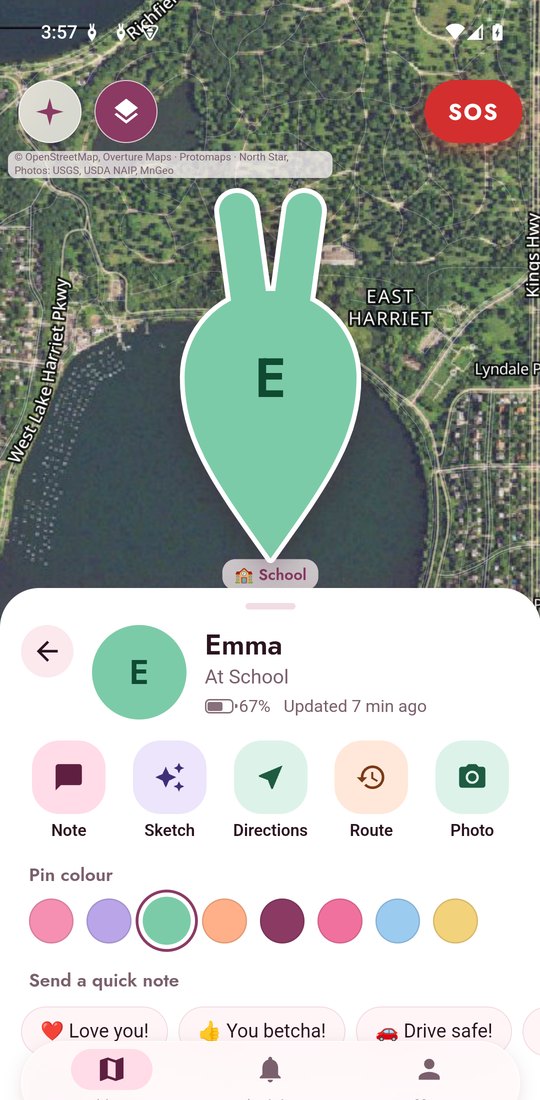
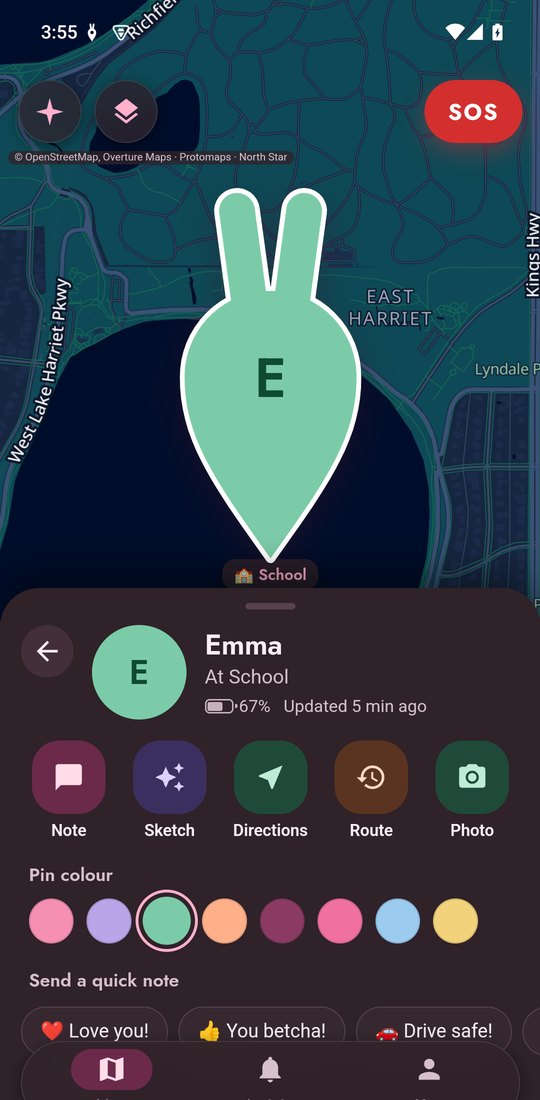
Detailed maps, day or night
Crisp street maps with building outlines, a satellite view with sharp aerial photos, and a soft dark mode for nighttime check-ins.
Private by design
Run Burrow on your own family server, so your locations never leave it. Burrow Cloud, coming soon, gives every family its own walled-off, end-to-end encrypted box. Your locations are never sold or shared.
No ads and no Google services needed. Works great on privacy-focused phones.
Only the people in your family group can see you. An organizer adds and removes members.
Get Burrow
- 1Download
Get the app for Android 12 or newer. Your phone may ask you to allow installs from your browser.
- 2Set up your family server
Run Burrow Server on a computer you own: one command on Linux, or a download for Windows. Then open Burrow, choose My own server, type the address it shows you and sign in as the organizer. (Burrow also works with your own Traccar server, version 6 or newer.)
- 3Add everyone
In Burrow, go to You, then Family members, and add each person. They install Burrow and sign in with your server's address.
Burrow is in beta. It works, but expect rough edges and changes as we go. If something breaks or feels off, tell us at [email protected].
Burrow Cloud is coming soon. We'll host your family's private, end-to-end encrypted server, so you won't need your own. Until then, the beta is for families who run their own.